


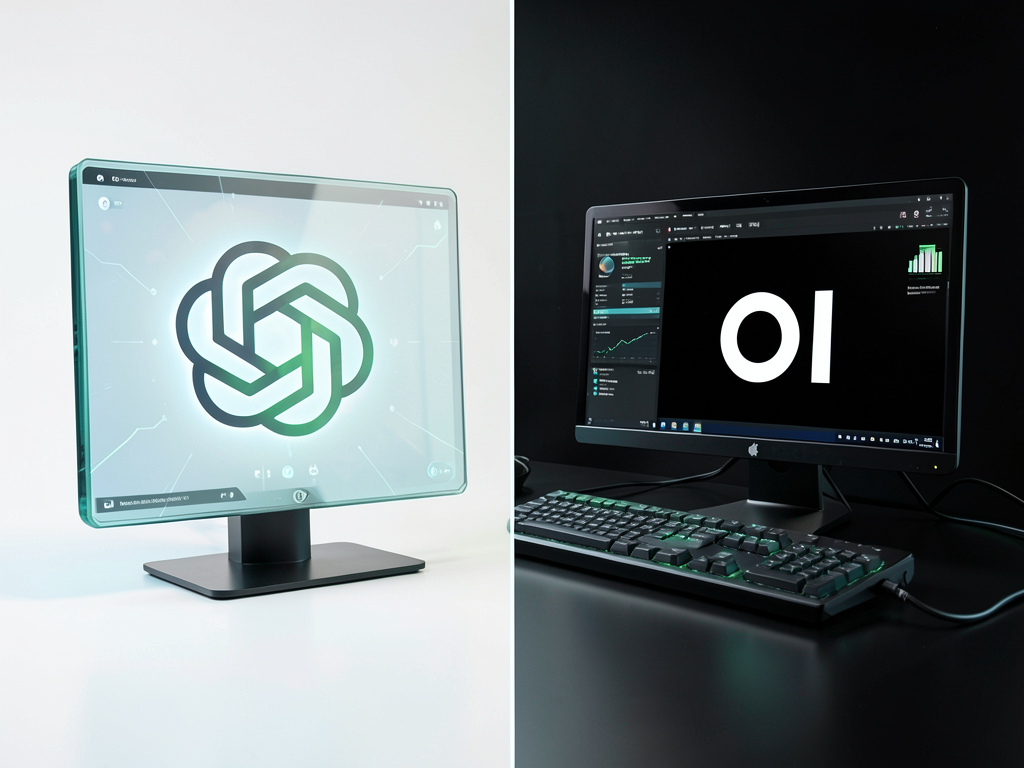
Open WebUI vs ChatGPT: Which One Should You Actually Use in 2026?
It’s the classic digital dilemma of our time: do you take the easy, polished path offered by a tech giant, or do you build your own powerhouse for ultimate control?
Most people start their AI journey with ChatGPT. It’s the “iPhone of AI”—it just works, it’s beautiful, and it’s everywhere. But as you get deeper into building a professional workflow, you start hearing about Open WebUI. It’s being hailed as the “private, self-hosted ChatGPT alternative,” and for those of us obsessed with digital independence, it’s a game-changer.
At FutureFormDigital, we’re all about building resilient workflows that you own. Today, we’re pitting the cloud king against the local challenger to see which one deserves a spot in your toolkit.
The Contenders: A Quick Primer
What is ChatGPT?
ChatGPT is a cloud-based service by OpenAI. You pay your subscription, log in, and use their massive models (like GPT-4o or o1). Everything happens on their servers. It’s effortless, but you’re a tenant in their house.
What is Open WebUI?
Open WebUI is an open-source “cockpit” for your AI. It doesn’t come with a brain—you provide it. You can connect it to local models (via Ollama) that run on your own hardware, or plug in API keys for various cloud models. It’s your own private interface that looks and feels like ChatGPT but runs under your rules.
5 Reasons Open WebUI is Winning the “Resilience” War
1. Privacy is Non-Negotiable
With ChatGPT, your prompts are data points for OpenAI. If you’re working with sensitive client data, proprietary code, or personal medical info, that’s a massive risk. With Open WebUI and a local model (like Llama 3), nothing leaves your machine. It’s the only way to be 100% sure your data stays private.
2. Death to Usage Caps
We’ve all seen the dreaded message: “You’ve reached your limit on GPT-4o. Please try again in 3 hours.”
It’s a workflow killer. Open WebUI has no limits. If your hardware can handle it, you can chat for 24 hours straight without a single interruption.
3. One UI to Rule Them All
In ChatGPT, you use OpenAI models. Period. In Open WebUI, you can switch between Llama, Mistral, Claude, and GPT-4 all in the same conversation. It’s a hybrid workflow dream.
4. Professional-Grade RAG (Document Q&A)
While ChatGPT lets you upload files, its “memory” is a black box. Open WebUI gives you a full Retrieval-Augmented Generation (RAG) pipeline. You can upload entire folders of PDFs, choose your vector database, and get citations for every answer. It turns your local files into a searchable brain.
5. Cost Scaling for Teams
ChatGPT Team costs $30/user/month. For a team of 10, that’s $3,600 a year. Open WebUI is free. You pay for your hardware once, and your team of 10 (or 100) costs the same as a team of one.
Head-to-Head: The Breakdown
| Feature | ChatGPT Plus | Open WebUI (Local) |
|---|---|---|
| Setup Time | 2 Minutes | 15–30 Minutes (Docker) |
| Monthly Cost | $20/month | Free (Hardware + Electricity) |
| Data Privacy | Cloud-based (OpenAI) | 100% Private (On-Premise) |
| Model Choice | OpenAI Only | Any (Local or Cloud) |
| Usage Limits | 40–80 msgs / 3 hours | Unlimited |
| Offline Access | No | Yes (Full Offline Support) |
| Team Features | Paid ($30/user) | Built-in (Free RBAC) |
When to Stick with ChatGPT
Let’s be honest: Open WebUI isn’t for everyone. You should stay with ChatGPT if:
- You are non-technical and the word “Docker” gives you a headache.
- You primarily use AI via a native mobile app.
- You only need OpenAI’s models and don’t care about usage caps.
- Privacy isn’t a concern for your specific use cases.
FAQ: Clearing the Confusion
| Question | Answer |
|---|---|
| Is Open WebUI really free? | Yes, the software is open-source. You only pay if you use paid cloud API keys. |
| Can I use GPT-4 inside Open WebUI? | Yes, if you plug in your OpenAI API key, you can use GPT models in the Open WebUI interface. |
| Do I need a supercomputer? | To run models locally, you’ll want at least 16GB of RAM and an Nvidia GPU. |
| Is Open WebUI better for coding? | It depends. ChatGPT’s “Canvas” is great, but Open WebUI lets you use specialized coding models like DeepSeek. |
| What happens to my data if I delete the app? | In Open WebUI, your data stays in your Docker volume or local folder. In ChatGPT, it stays with OpenAI. |
| Can I share my local AI with my team? | Yes! Open WebUI has multi-user support, allowing your whole team to log into your instance. |
| Does Open WebUI have a mobile app? | No native app yet, but it’s a PWA, so you can “Install” it to your home screen from your browser. |
| Is it hard to update? | If you use Docker, it’s a single command to pull the latest version. |
| Can it search the web? | Yes, Open WebUI can connect to search engines like Google, Bing, or Brave for live data. |
| Why should I switch? | Switch if you want privacy, no limits, and the freedom to use any AI model you want. |
FutureFormDigital Insight
If you’re looking for our “opinionated” take: Start using Open WebUI today.
Even if you keep your ChatGPT Plus subscription for now, setting up Open WebUI with a local Llama 3 model gives you a “Plan B.” In a world where cloud services can change their pricing, censor their models, or go down unexpectedly, having a local AI powerhouse that works fully offline is the ultimate resilience hack.
We recommend hosting it via Docker on a dedicated machine. It’s the most professional way to manage your AI without cluttering your main OS.
Are you ready to stop being a “tenant” of OpenAI and start owning your own AI cockpit? Let us know in the comments which model you’re planning to run locally!
About The Author


